|
ADV Site Maker
Monster MONT
this is the Monster list creation
tool. upon pressing this option you will be greeted with a new
screen.
| Monster List > |
CHOOSE
FROM
Up List
Child
Gas Bag
Chicken
Poltergeist
Rat
Giant Rat
Kobold
Bat
Black Blob
Jackal
Snivling
Goblin
Lizard
Worms
Orc |
Down List
Select Monster
Exit Monster
Child
|
 |
MONSTER
LIST
Up Monster
Gas
Bag
Poltergeist
Rat
Giant Rat
Kobold
Snivling
Goblin
Lizard
Orc
Giant Beetle
Hobgoblin
Zombie
Goblin Archer
Wolf
Orc Warrior |
Down Monster
Load Monster
Save Monster
Clear Monster
Erase Monster
Insert Monster
|
|
< Site Monster List |
there are two lists here, the
Monster List, this is a list of the most common monsters you will
find in ADV, and the Site Monster List, this is the list of the
monsters you will find in this site, you may move up and down the
list's by selecting the Up Monster/List & Down Monster/List
buttons, if you click on a particular monster it will select this
as the current monster.
Options
Select Monster will place the currently selected
Monster from the List into the site Monsters
Exit Monsters will exit the monster creation
tool and return to the Main Site Maker.
Child this tells you the current selected
monster, in this case a Child.
Load Monsters this allows you to Load a
currently created MONster file
Save Monsters this allows you to Save a MONster
file for use, you need to save the file else the site will be
unable to find the monsters for your site.
Clear Monsters this will clear all monsters from
the current Site Monsters list
Erase Monster will remove the currently selected
monster from the Monster list
Insert Monster will insert the currently selected List
Monster at that position in the Monsters list.
Notes:- all the monsters in your site are totaled and divided by
ten, they are then used as wandering monsters throughout your
site, E.g.. if you have ten monsters, the tenth monster will be
used on level 10, the third on level 3, etc.
by Right Clicking on the current selected Monster in the Monsters
list, you are taken to the Monster Editor, this allows you to customize the monsters, so you can create easier, harder or named
Monsters for your sites.
MONSTER
NAME
GRAPHIX
ARMOUR CLASS
TO HIT AC 0
DAMAGE
HIT POINTS
SPEED
TRESURE 1
TRESURE 2
TRESURE 3
ABILITYExit
|
|
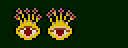
Gas Bag
33
10
20
2
10
SLOW
None
None
None
EXPLODES |
BANK x1
SOUND 3
WHEN KILLED |
|
you may alter all values here by
clicking on the appropriate place and deleting the existing
values then typing in the new values.
MONSTER NAME : the
name of the monster.....:-}
GRAPIX : the graphic character and BANK
: the bank x1, 1x1 sprites, 1x2 sprites and 2x2 sprites.
ARMOUR CLASS : the Armour class of a monster is
added to the To Hit AC 0 of its attacker, the lower the value the
better.
TO HIT AC 0 : this value governs how easy
monsters find it to hit things, the lower the value the better.
SOUND : the sound the monster makes
DAMAGE : the amount of damage a monster causes on
a successful hit.
HIT POINTS : the amount of damage a monster can
take before it dies.
SPEED : how fast the monster is.
TRESURE # : the object's a monster may carry,
this leads to the object choice menu.
ABILITY : any special Abilities a monster has,
this choice is exited with the right mouse button, the abilities
are as follows :-
None
Acid Attack
Bow Use
Undead & Pass walls
Drain Strength ADD
Explodes when Killed
Friendly
Regenerates
Undead Pass walls & Immune to normal weapons
Immune to normal weapons
Undead Pass walls, Immune to normal weapons , Drain Str Add
Gun Use
Level Drain & Undead
Immune to normal weapons, x4 Hits, Regenerates & Spell Use
None
None
Poison
None
Paralyser
Spell Use
None
Undead
x2 Hits
Immune to normal weapons, level drain & regenerates
Spell Use & Poison
Spell Use & Paralyser
Undead & Immune to normal weapons
x2 hits, dragons gas & bites
x2 hits, dragons ice & bites
x2 hits, dragons acid & bites
x4 hits, dragons fire, bites & regenerates
x4 hits, dragons lightning, bites & regenerates
x4 hits, bites & regenerates
x2 hits & bites
|
|


